Preamble
Azure Data Studio is a free open source tool for working with Microsoft SQL Server databases. The only difference between Azure Data Studio and Visual Studio Code is that Azure Data Studio is made specifically to work with databases.
Therefore, it will be very easy for developers who have worked or are working with Visual Studio Code to start working with Azure Data Studio. The main purpose of Azure Data Studio is to write, edit and execute SQL queries, in other words, it is a certain SQL code editor.
Overview of the functionality and features of Azure Data Studio
Some might ask, “Why do you need this Azure Data Studio, because there is such a great tool as SQL Server Management Studio (SSMS)?” Furthermore, SSMS is a comprehensive solution for SQL Server developers and administrators, and it is quite large. At the same time, most developers don’t use most of the functionality because they only need it for writing SQL queries and developing procedures.
Also, when it became possible to install Microsoft SQL Server on Linux, developers needed a tool that could be used on Linux, but SQL Server Management Studio is only available on Windows. All this was the reason to create a new cross-platform tool that would be simple, convenient, easy, developer-oriented, and include only the most popular functionality, i.e., the ability to write and edit SQL instructions. This is what Azure Data Studio became.
Azure Data Studio allows you to work not only with Microsoft SQL Server databases but also with SQL Azure databases and other DBMS; for example, almost out of the box, it supports PostgreSQL. In addition, Azure Data Studio allows you to import CSV files and even connect whole directories with scripts and data. The distinctive feature of Azure Data Studio is that it allows you to visualize the results of SQL queries very easily, for example, by building charts and so on.
As well as the results of SQL queries, they can be uploaded in one click to all popular data formats, such as Excel, XML, JSON, or the same CSV. Let’s take a closer look at the functionality and features of Azure Data Studio.
The SQL Code Editor with IntelliSense technology
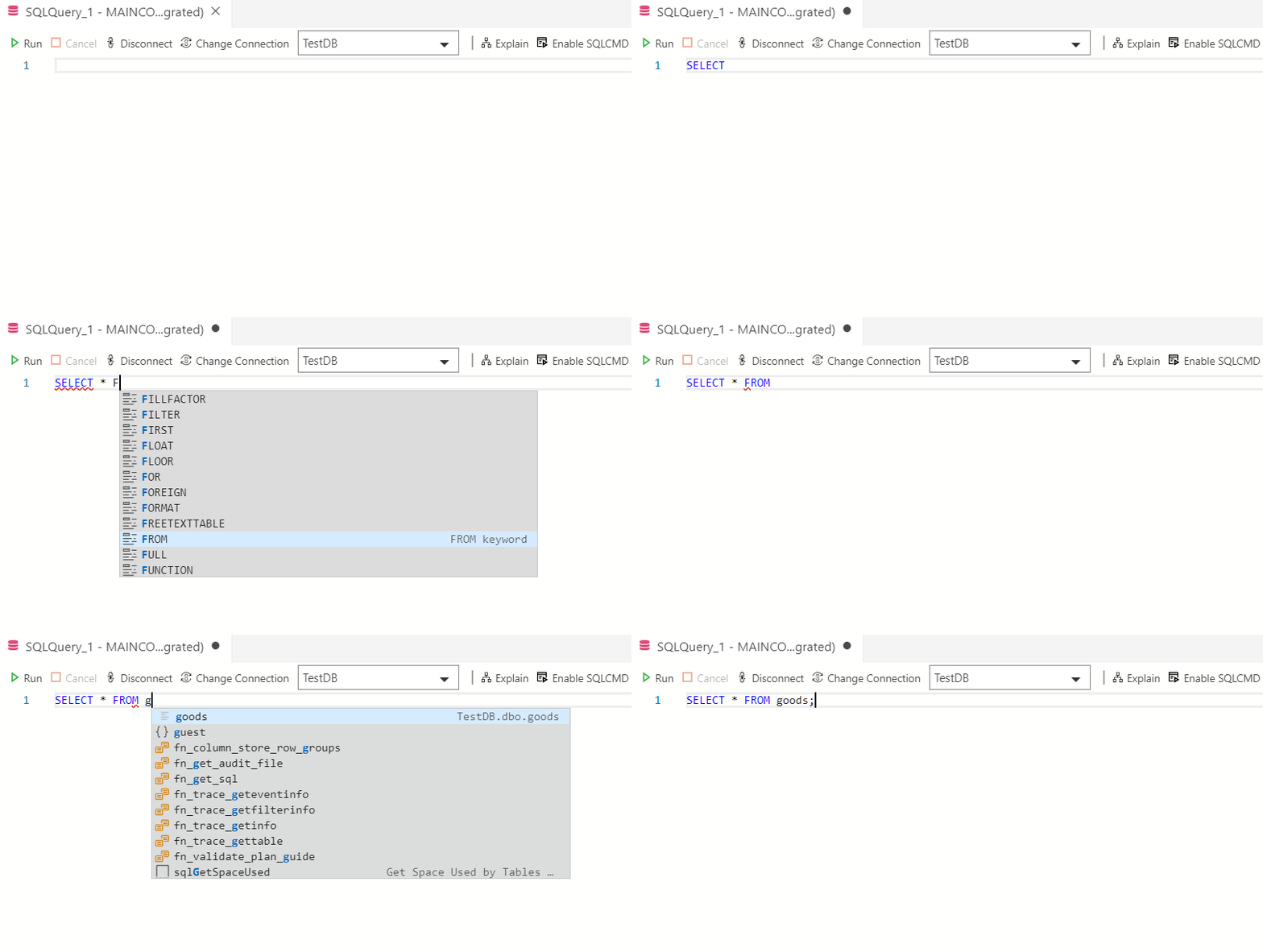
Azure Data Studio is developer-oriented, and its main purpose is to write, edit, and execute SQL queries, so of course it has a modern and advanced SQL Code Editor that supports IntelliSense technology, i.e., autocompletion (you start writing the first letters of an SQL statement, and the editor completes it itself). The editor also lets you move around in the code, connect to the version control system (Git), and see a graphical representation of the query execution plan.
Intelligent SQL code fragments
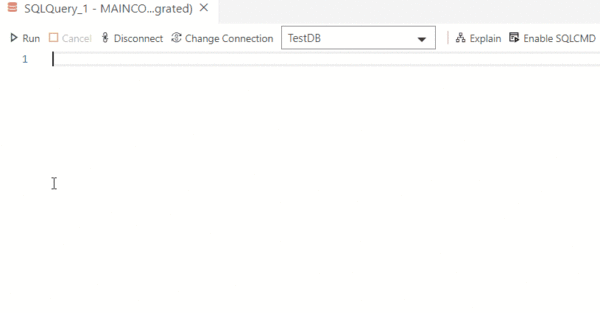
Intelligent SQL code snippets are implemented in Azure Data Studio to make it simple and quick to create SQL scripts for the most frequently needed operations. These snippets allow you to form the proper syntax of SQL instructions for creating tables, stored procedures, and other database objects.
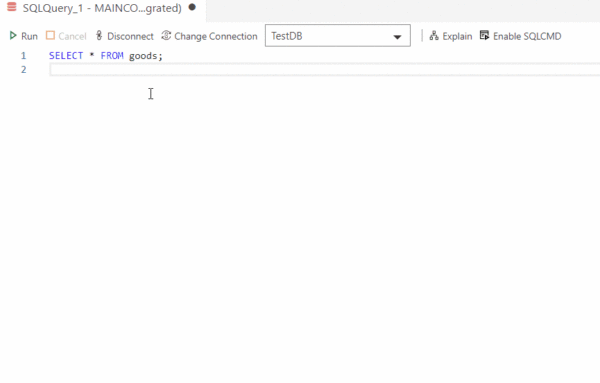
Additionally, adding, updating, and deleting code fragments are supported for data change operations. Simply begin writing a suitable operator to use the code fragments, and the editor will display a list of appropriate code fragments.
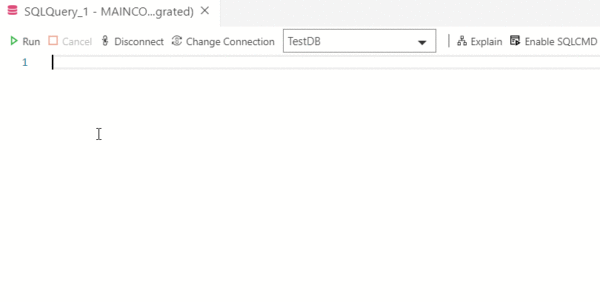
Besides, you can look at the full list of available code fragments if you write the word “SQL” in the editor.
Viewing database object definitions
In other words, while writing SQL queries or instructions, you can very easily learn the original instructions for creating a table, stored procedure, or other database objects. You can view information about database objects in Azure Data Studio.
Editing data in tabular form
You can use a familiar table view to edit data in tables in Azure Data Studio. To do this, right-click on the target table in the object browser and select “Edit Data.”
Extendibility of functionality
By default, Azure Data Studio is only equipped with the essential features that each and every user requires—it is a sophisticated query editor.
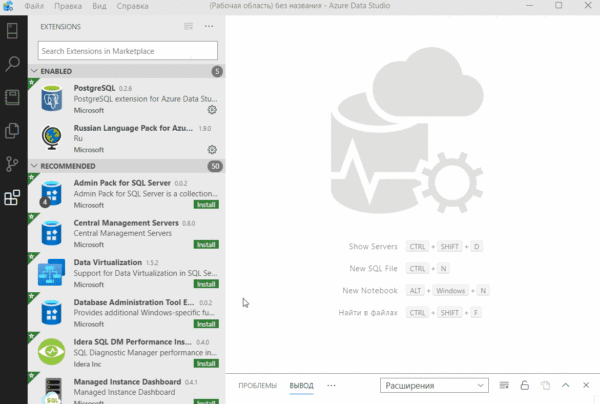
However, this basic functionality can be extended with special “Extensions.” For example, you can add administration capabilities, data visualization capabilities, etc.
As a result, you can set up your workspace so that it only has the features that you personally require, which is actually very practical.
Connecting to PostgreSQL
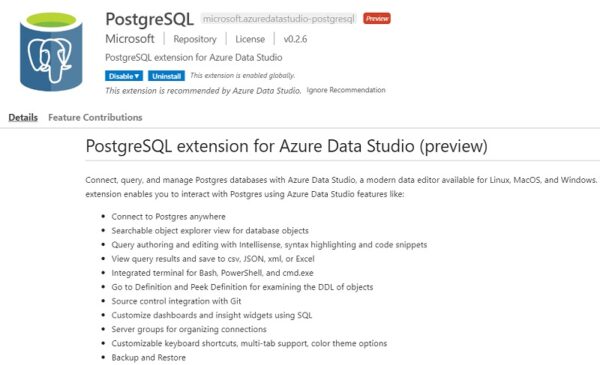
You can work not only with Microsoft SQL Server but also with other DBMS, such as PostgreSQL, using Azure Data Studio. You need to install a specific extension, which is available by default, in order to connect to PostgreSQL and begin working with PostgreSQL databases.
Ability to group connections to servers
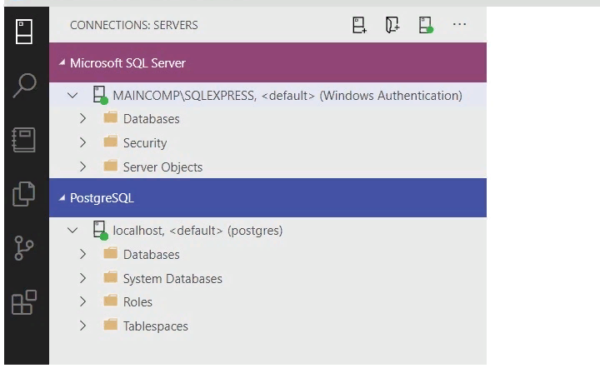
You can establish connections to numerous servers using Azure Data Studio and store these connections. As a result, Azure Data Studio offers the convenience of grouping connections to servers, for instance, by destination or server type, with each group being highlighted with a different color.
Customizing the appearance of Azure Data Studio
Azure Data Studio lets you choose from different color themes, so you can change how the app looks.
Built-in terminal
The Azure Data Studio user interface supports direct work with several popular command line tools such as: Bash, PowerShell, sqlcmd, etc.
Backup and restore a SQL Server database
Backup and recovery of SQL Server databases are among the administrative tasks that Azure Data Studio supports by default; however, the administration functionality can be improved with extensions, such as the addition of SQL Server Profile, SQL Server Agent, and other features.
Notebooks
You can create documents using Azure Data Studio that include executable code, text descriptions of this code, visualizations, and more. These documents can be shared with other developers.
Features of Azure Data Studio
Thus, based on all the above, we-can highlight a few pros and cons of Azure Data Studio.
|
About Enteros
Enteros offers a patented database performance management SaaS platform. It finds the root causes of complex database scalability and performance problems that affect business across a growing number of cloud, RDBMS, NoSQL, and machine learning database platforms.
The views expressed on this blog are those of the author and do not necessarily reflect the opinions of Enteros Inc. This blog may contain links to the content of third-party sites. By providing such links, Enteros Inc. does not adopt, guarantee, approve, or endorse the information, views, or products available on such sites.
Are you interested in writing for Enteros’ Blog? Please send us a pitch!
RELATED POSTS
How Can Enterprises Reduce Database Costs Without Sacrificing Performance?
- 11 September 2026
- Database Performance Management
Enterprises can reduce database costs without sacrificing performance by identifying inefficient SQL, right-sizing infrastructure, eliminating unused capacity, analyzing workload patterns, improving storage efficiency, and using database observability to connect resource consumption with application performance. Database cost optimization helps organizations control infrastructure spending while Enteros UpBeat provides performance intelligence, workload visibility, predictive analytics, and Cloud FinOps … Continue reading “How Can Enterprises Reduce Database Costs Without Sacrificing Performance?”
How Can AI Detect Database Performance Anomalies Before They Cause Downtime?
AI can detect database performance anomalies by continuously analyzing workload patterns, SQL behavior, latency, resource usage, waits, and historical baselines. AI database anomaly detection helps identify unusual behavior before it becomes a larger outage. With Enteros UpBeat, IT teams can detect emerging issues earlier, investigate root causes faster, and improve database reliability across complex enterprise … Continue reading “How Can AI Detect Database Performance Anomalies Before They Cause Downtime?”
How Can Financial Institutions Detect Database Bottlenecks Before Transaction Delays Occur?
- 10 September 2026
- Database Performance Management
Financial institutions can detect database bottlenecks before transaction delays occur by continuously monitoring query latency, database waits, CPU, memory, I/O, locking, workload changes, and transaction throughput. By combining performance baselines, anomaly detection, SQL intelligence, predictive analytics, and automated root cause analysis, teams can identify emerging issues early and optimize databases before customer-facing banking, payment, or … Continue reading “How Can Financial Institutions Detect Database Bottlenecks Before Transaction Delays Occur?”
What Role Does AI-Powered Database Monitoring for Banking Play in Performance Management?
AI-powered database monitoring for banking helps financial institutions detect anomalies, identify performance bottlenecks, analyse SQL workloads, predict capacity risks, and accelerate troubleshooting. By combining database observability with automated analysis, AI-powered database performance supports faster incident response, more reliable transactions, better resource utilisation, stronger capacity planning, and smarter cloud cost decisions across increasingly complex banking database … Continue reading “What Role Does AI-Powered Database Monitoring for Banking Play in Performance Management?”